Separate source from result
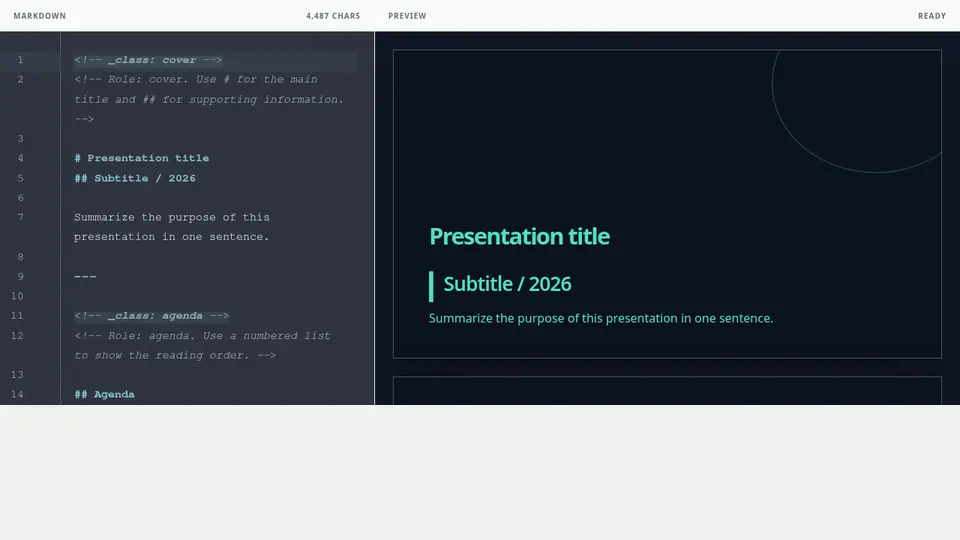
The Markdown pane is the source and the Preview pane is the generated result. They appear side by side on desktop and as switchable panes on narrow screens. Each outlined preview is one slide.
Use the available controls
Save and export actions are at the top. Undo, redo, heading, list, quote, and Chart helpers are below the Markdown pane. Reset discards the current edit and restores the template starter.
Use the command palette
Focus the Markdown pane and press Ctrl or Command + Shift + P, or select Commands in the bottom toolbar. Type an action after > to find PDF and PowerPoint exports as well. Early Access actions carry a label and appear only for eligible accounts. Run actions with the arrow keys and Enter or by tapping them. Choose Move to Project to select a destination. If your browser or operating system reserves the key combination, use the toolbar button. Keyboard shortcuts in the palette lists the current bindings.